Tyce Hoskins
August 26, 2026
•
4 min read
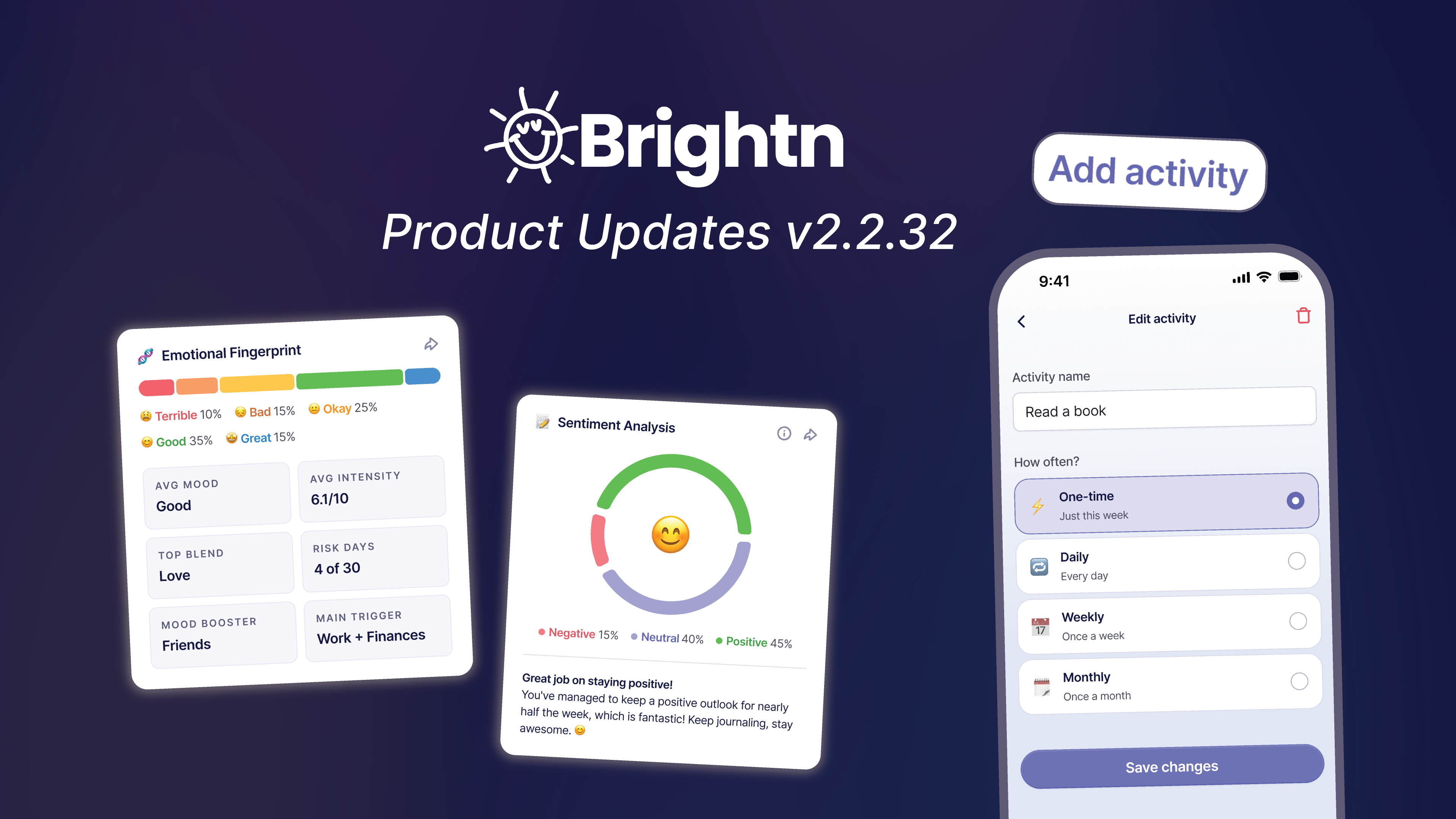
Two updates just landed in Brightn. One helps you understand what has been going on. The other lets you do something about it.
Insights has been rebuilt around your story and your data. And your weekly plan is now yours to shape, with custom activities you create, edit, and manage yourself. Here is how both work.
Checking in is the easy part. Making sense of it later is where most people get stuck. You know you had a rough stretch, but you cannot always say why. You know something has been lifting you, but it is hard to name.
And once you do see it, you need somewhere to put it. A plan that fits your actual life, not a generic one.
That is what these two updates are about.
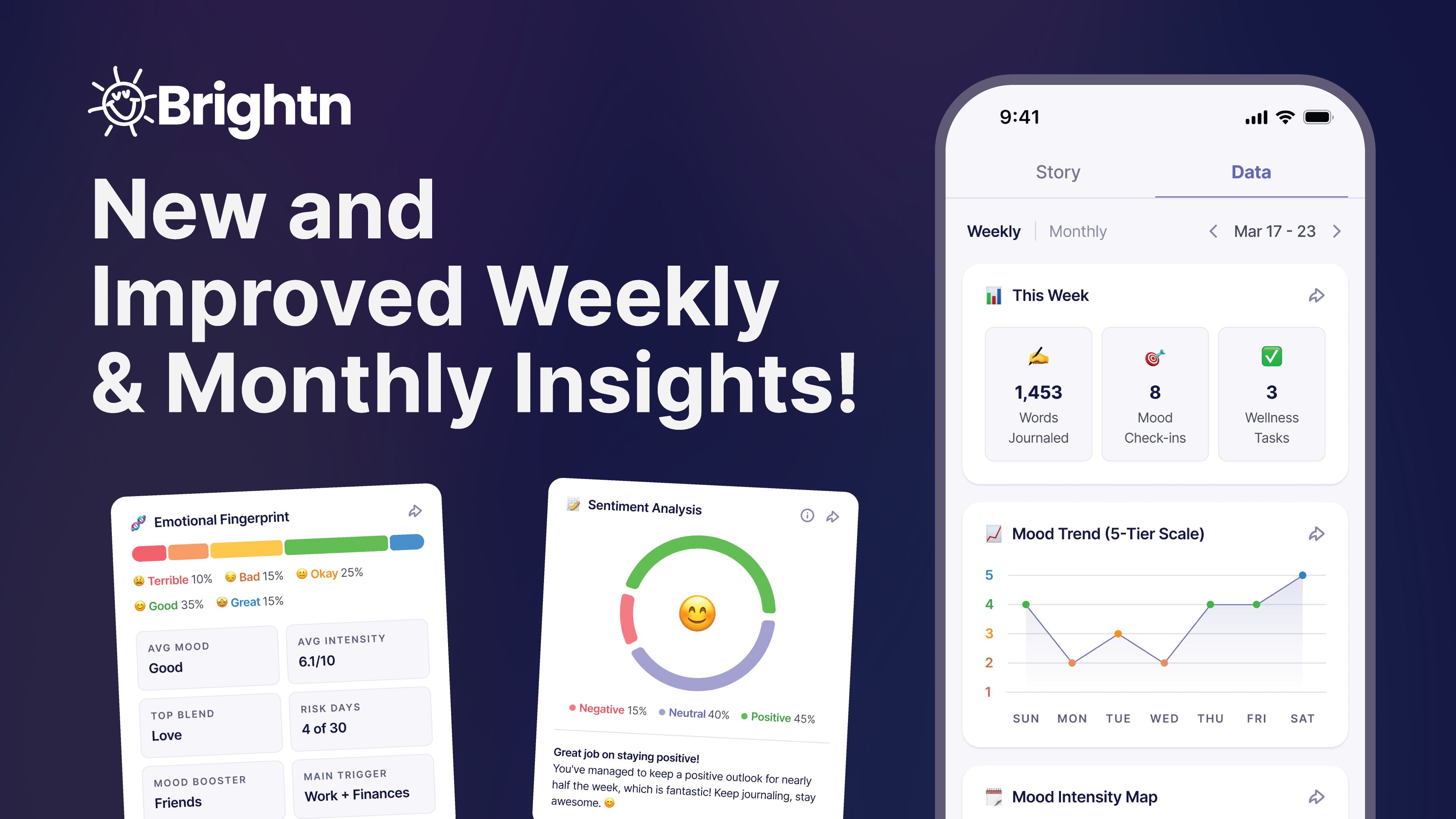
Prefer to watch? Here is a quick walkthrough of everything new in Insights.
Tap Insights in the bottom right of your home screen. You will land on the Story view for the current week by default.
From there you have two tabs at the top, Story and Data, and a Weekly or Monthly toggle just below. Every combination works, so you can look at your week in words, your month in numbers, or anything in between.
The Story tab reads your entries back to you. It is the view to open when you want to understand what has been going on without digging through charts.
A short recap of your entries so far, written in normal language. It names the feeling that shaped your week or month, points to the activities connected to it, and ends with one gentle nudge instead of a lecture.
A single bar showing how your moods broke down across Terrible, Bad, Okay, Good, and Great. Underneath, you get your average mood, average intensity, your top emotion blend, how many lower mood days came up, your biggest mood booster, and your main trigger. It is the fastest snapshot in the app.
The same breakdown you already know, showing negative, neutral, and positive headspace at a glance. Now it comes with a short line underneath that puts the number in context, so a percentage turns into something you can actually take away.
Feelings rarely show up one at a time. When you select emotions from different categories, Brightn combines them into a blend. Contentment plus Drive becomes Optimism. It is a more honest picture of how a day actually felt.
Your three most frequent emotions, ranked. Helpful for spotting something that keeps showing up before it becomes a pattern you only notice in hindsight.
This one is new and it is our favorite. Brightn groups your entries by life area, things like work, school, friends, dating, goals, and health, then tags each one as a Booster, a Drainer, or Mixed, along with the emotions attached to it. You get to see which parts of your life are giving you energy and which ones are quietly taking it.
If you had lower mood days, this section flags them and points out the theme that showed up most. It also suggests one next step you can take, like switching your journal mode to Self-Compassion. It is there to help you notice, not to label you.
Want more than the summary? Tap View report for a fuller breakdown of your entries for that week or month.
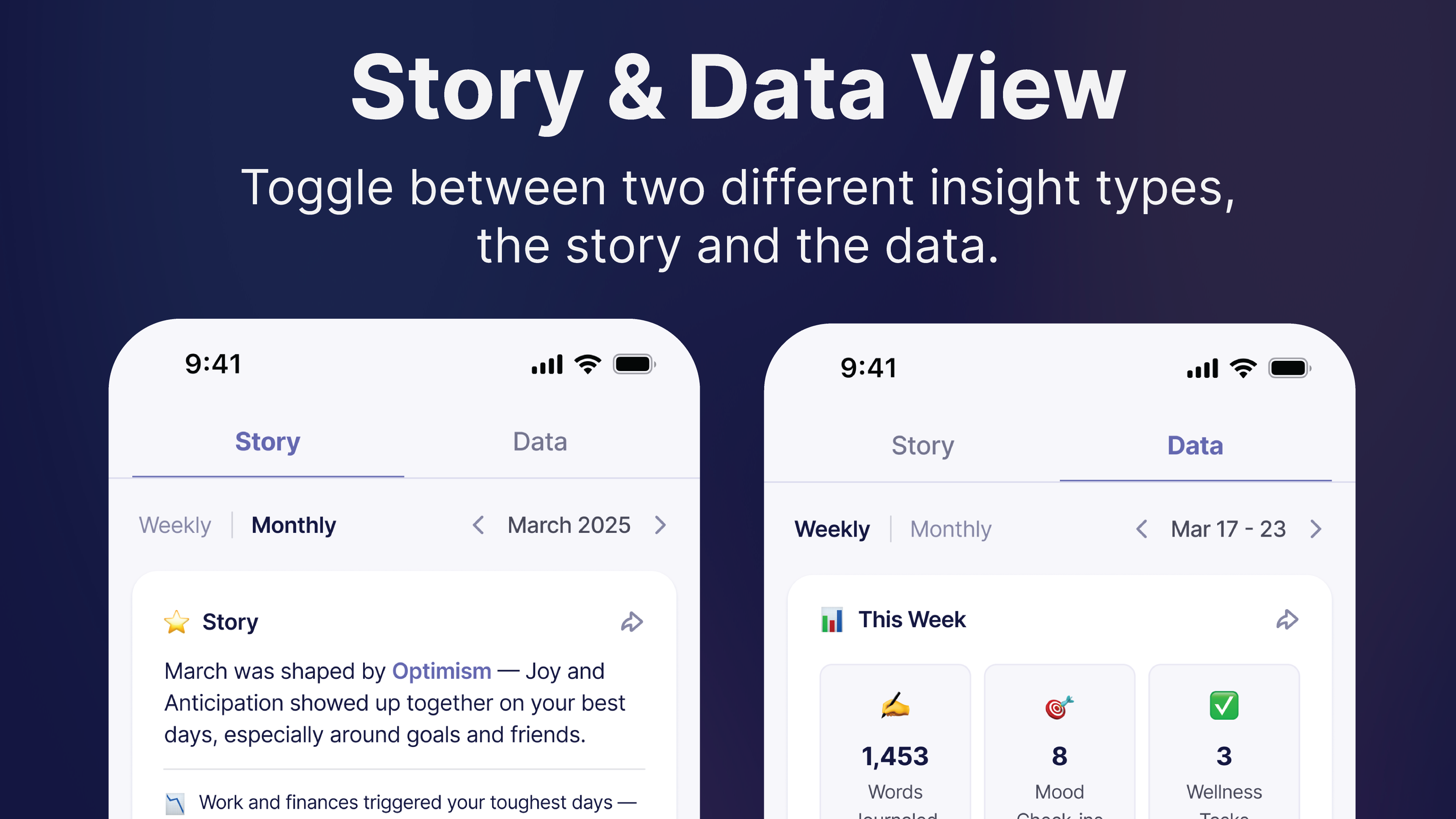
Tap the Data tab in the top right if you are the kind of person who wants to see it all laid out. Same entries, different lens.
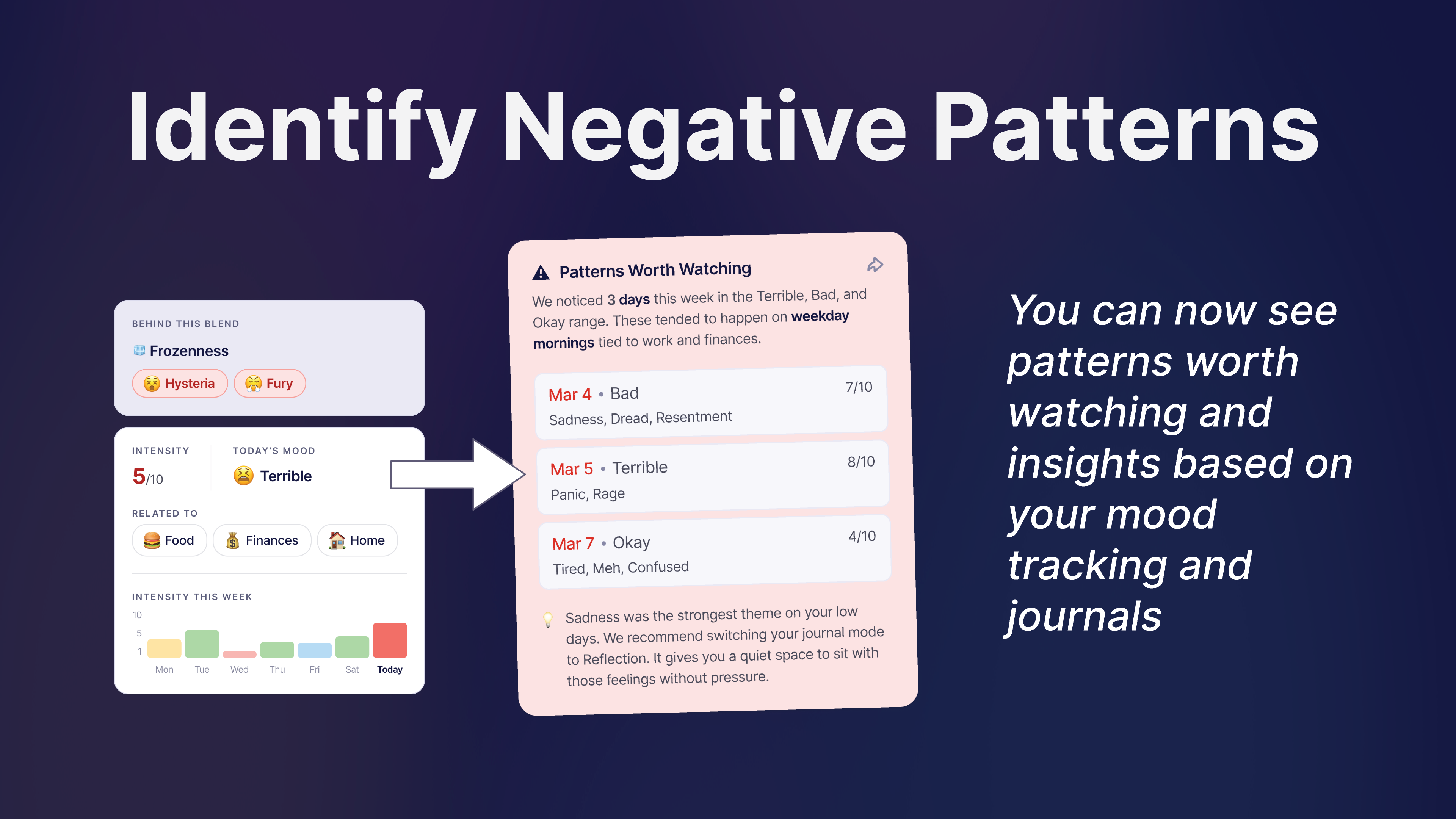
Both tabs work in both views. Weekly is good for a quick reset and for catching something early. Monthly is where the bigger patterns start to show up, the ones that are hard to see when you are living inside them.
A lot of people find it useful to check the weekly view on a Sunday and then look at the monthly view once at the end of the month. You do not have to do either. It is there when you want it.
Noticing a pattern is step one. Doing one small thing about it is step two. That got a lot easier.
You can now add your own activities to your weekly plan. Not just the ones we suggest. Anything you want to stay consistent with, in your words, at your pace.
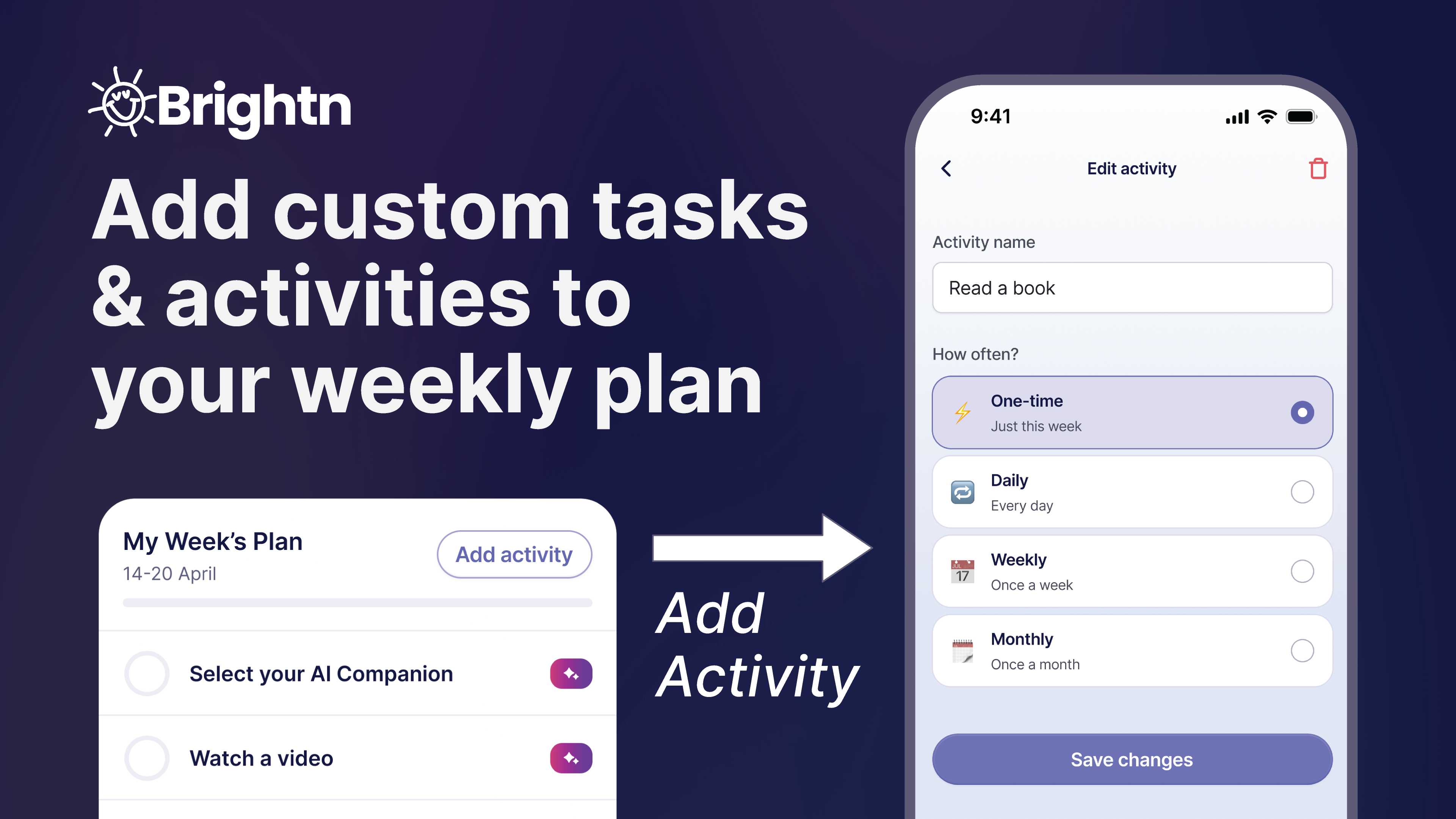
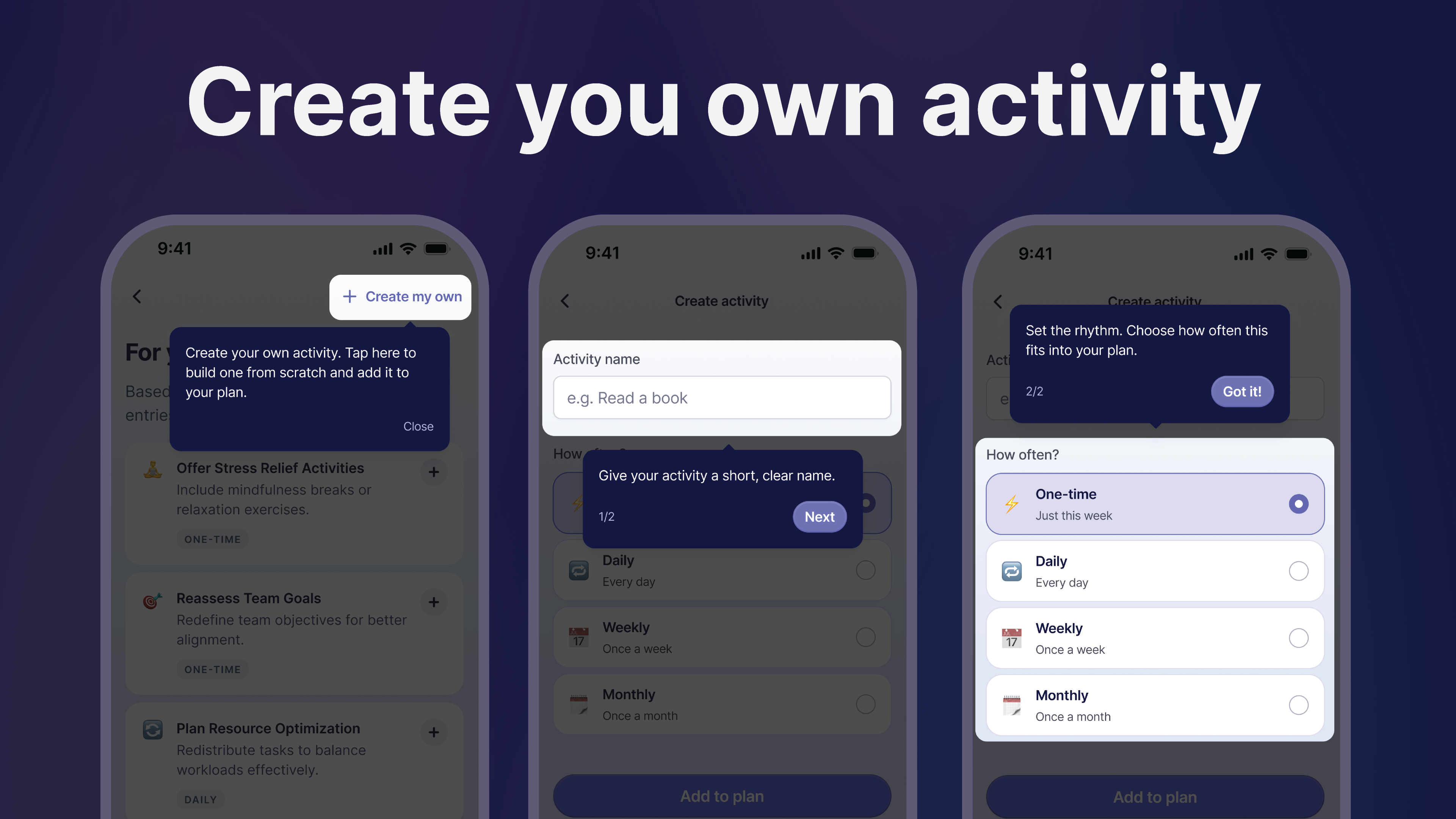
Add as many as you want. When you finish one, check it off and it is marked complete.
Plans change. If something is not working, you do not have to live with it.
Go to your profile, then Settings, then My Activities. From there you can add new activities, edit the ones you have, or remove anything that is no longer serving you. Change a name, adjust how often it repeats, or clear it out entirely.
It is worth a look every few weeks. A plan you keep tuning is a plan you keep using.
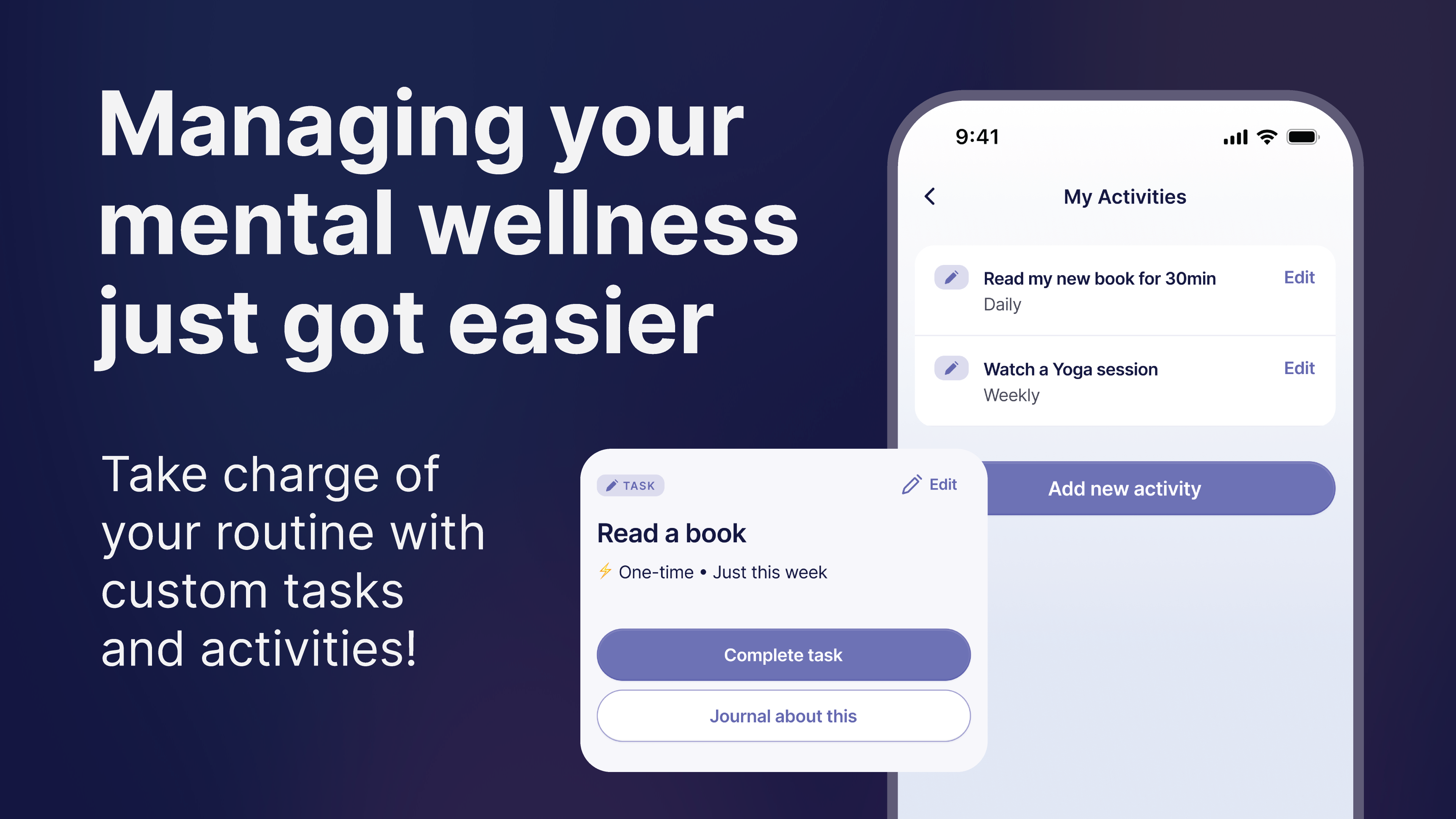
Most plans fail because they belong to someone else. A generic checklist is easy to ignore. A plan with your gym class, your morning walk, and your Sunday call to your mom on it is a plan you actually recognize.
It also connects back to Insights. If What Lifts vs Lowers You shows that goals or movement have been a Booster, you can add more of that to next week's plan in about thirty seconds. If something has been draining you, you can build in one small reset around it.
Five minutes today counts. Consistency beats intensity.
Insights reflects what you have logged. It is a mirror, not a diagnosis, and it is not a substitute for care from a professional. If something in your entries feels heavier than a rough week, that is worth talking to someone about, and Brightn can help you take that next step when you are ready.
The point of all this is not to score yourself. It is to notice things a little sooner, so you can do something small about them while they are still small.
Open the app, check your Insights, and add one thing to this week's plan.