Tyce Hoskins
August 31, 2026
•
6 min read
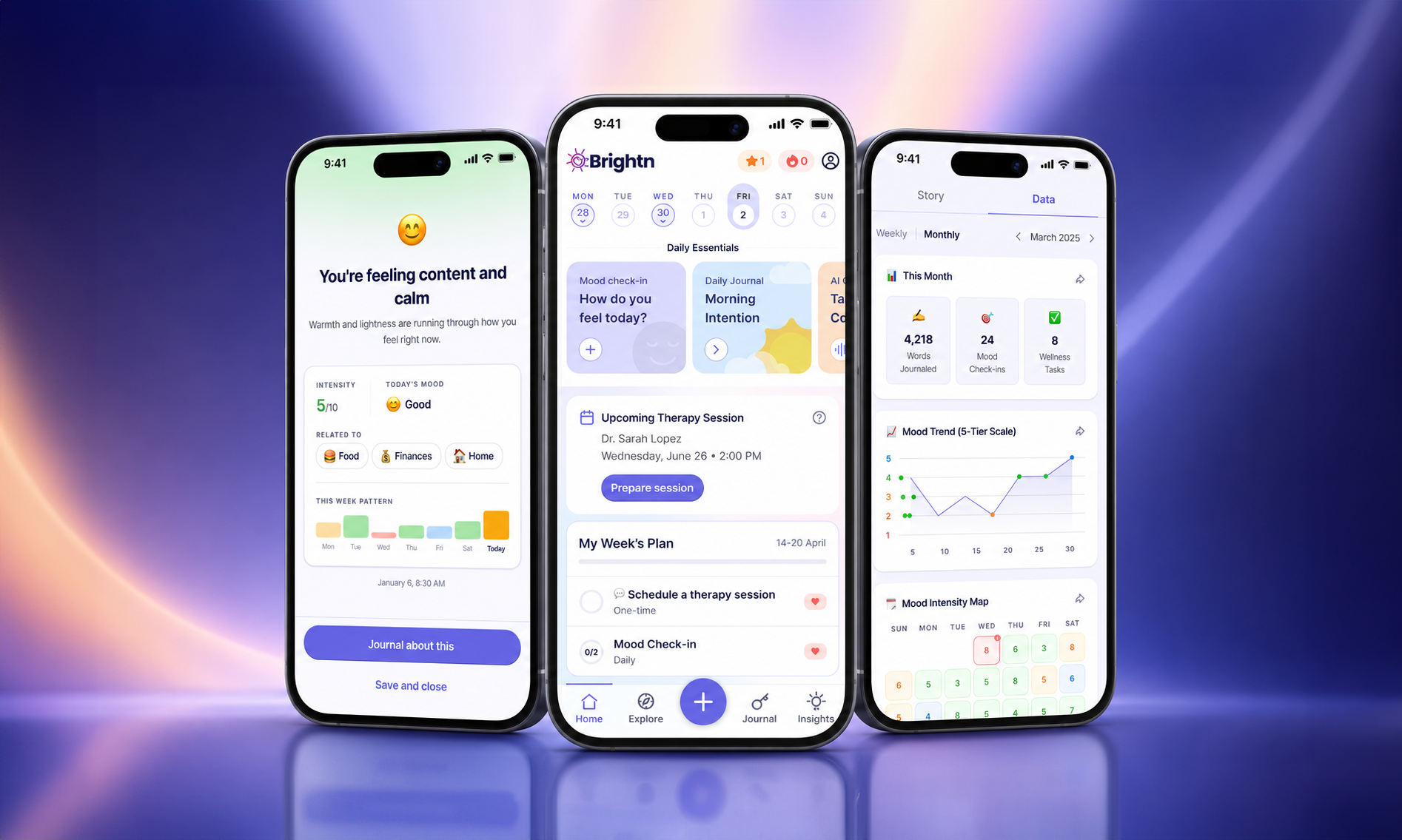
Brightn is built to make daily mental wellness simple enough to actually stick. This guide walks you through the app one step at a time: setting up your account, building your wellness plan, checking in with your mood, journaling, reading your insights, and connecting with a licensed therapist if you want that kind of support.
Every section has a short video and a written walkthrough, so you can watch or skim. You do not need to do all of it today. Start with one thing, then come back whenever you need a refresher.
Tap any section to jump straight to it.
When you first open Brightn, you will go through a short onboarding designed to personalize your experience. Nothing here is a test. The more honest your answers, the more useful your plan will be.
Watch: setting up your account and building your first wellness plan.
You will start with the basics: your name, gender, birthday, and location. From there, Brightn asks about the goals you want to work toward, the challenges getting in your way, and what gives you a sense of purpose and meaning.
Next you will answer a quick set of questions across three areas:
Together, these three make up your Brightn Zone. Your answers help Brightn build a personalized wellness plan with real actions you can start on. Pick the recommendations that feel most relevant to you right now and add them to your plan as weekly or monthly goals.
Tip: Choose two or three recommendations to start, not ten. Consistency beats intensity. You can always add more later.
Once your first wellness plan is set, you will create your Brightn account and verify it with a security code. Then you will choose your membership plan.
If your Brightn access is provided through a school, employer, health plan, or another organization, enter your organization code at this step to unlock your membership.
Your home screen is your starting point for everyday wellness. Think of it as home base for what you are working on today.
Here you will find:
If you only have a few minutes, the home screen is the place to be. Do one Daily Essential and you have kept the habit alive.
This is the core loop of Brightn: check in, reflect, and look back at the pattern. It is also where the app gets more useful the longer you use it.
Watch: mood check-ins, journaling, reflections, and your weekly insights.
A check-in is the fastest way to name how you are feeling and start noticing patterns over time. It takes under a minute.
Tip: There is no wrong answer here. A check-in on a flat, average day is just as useful as one on a hard day. That is how patterns show up.
Your Journal holds your past entries and check-ins, and it is where you start something new.
If you journal right after a check-in, Brightn can offer questions to help you reflect on what you are experiencing, so you are never staring at a blank page. When you finish and save your entry, you will get a personalized reflection back. Brightn may also suggest activities or opportunities related to what you wrote, which you can add straight to your wellness plan.
You can revisit any past entry whenever you want to see what you were working through and what you said back to yourself.
Tap Insights to see trends pulled from your activity inside Brightn.
Your weekly and monthly reports bring together your mood check-ins and journal entries so you can see how things are shifting over time. The more consistently you check in and journal, the more you will have to look back on.
Track the pattern, not the perfection. Missing a day does not reset anything.
Explore is Brightn's library of programs and lessons across Health, Wealth, and Purpose. It is where you go when you want to work on something specific.
Watch: browsing programs, filtering by Brightn Zone, and adding to your plan.
Tap Explore at the bottom of the app. From there you can:
For example, search burnout and you will see programs and lessons built around it. Completing lessons also earns you points inside Brightn.
You can revisit your Brightn Zone from this area too, and pull in additional recommendations whenever your plan starts to feel too easy or no longer fits what you need.
The widget is the single easiest way to stay consistent. It puts a mood check-in one tap away, right on your phone's home screen.
Watch: adding the Brightn widget to your home screen.
Tapping the widget takes you straight into a mood check-in. No app opening, no menu hunting.
Tip: Place the widget near the apps you already open out of habit. Consistency is usually about convenience, not willpower.
Brightn is daily support, and sometimes you want more than that. If you do, you can connect with a therapist who is licensed in your state, directly through the app.
Watch: both ways to book a session, plus what to expect before your appointment.
There are two ways to start.
Scroll toward the bottom of the home screen and tap Book Session.
In some journaling conversations, Brightn may suggest connecting with a therapist when extra support could help. If you choose to book, you land in the same scheduling flow.
You can use Brightn to journal and prepare beforehand, which helps if you tend to forget what you wanted to say once you are in the session. You may also have the option to share a journal entry with your therapist ahead of time for extra context.
You will get a text reminder before your appointment with a link to join the virtual session. Afterward, come back to Brightn to reflect on how it went or schedule your next one.
A note on support: Brightn is everyday wellness support, not clinical care or a replacement for therapy. Therapy sessions booked through the app are with independently licensed therapists. If you are in crisis or need immediate help, call or text 988 in the US to reach the Suicide and Crisis Lifeline.
Your profile and settings give you more control over how Brightn works for you, from how your AI sounds to how often it reminds you to check in.
Watch: personalizing your profile, notifications, membership, and more.
From the home screen, tap your profile icon in the upper right corner. Your profile gives you a quick view of your activity, including recent check-ins and completed opportunities.
From here you can also open your Brightn Zone, explore programs, add items to your weekly plan, or start booking a therapy session.
From your profile, tap the Settings icon in the upper right corner. Everything below lives in this menu.
You can rename your Brightn AI and adjust personality preferences that shape how its responses feel. If the tone is not landing for you, change it. It should feel like a voice you actually want to hear from.
Edit any of the following at any time:
You can also revisit what you shared during onboarding, including the goals you are working toward and the challenges you identified. Life changes, so it is worth updating these every so often.
Brightn offers several notification types you can turn on or off. Set them based on how often and when you actually want a nudge. A reminder you ignore is worse than no reminder at all.
If your device supports it, you can turn Face ID login on or off from your account settings at any time.
Open the membership section inside Settings to review the options associated with your account.
The Brightn Wall is where you can see other thrivers who are part of the Brightn community. Access it directly from your settings.
Want someone else to have this too? Use the Invite option inside Settings to share Brightn.
Select Get Help from the settings menu to reach Brightn support with any question about your account. You will also find widget setup instructions here.
Brightn is built to be explored at your own pace. Come back to these videos whenever you want a refresher, or tap Get Help inside the app if you need support with your account.
You do not need to have it all figured out. Start with one honest check-in.